

How to Automate Your Coffee Delivery
Table of Contents
- What Automating Your Coffee Delivery Means
- Step 1: Choose Your Smart Plug and Coffee Equipment
- Step 2: Set Up Your Smart Home Hub Integration
- Step 3: Configure Scheduling and Timer Settings
- Step 4: Connect Location Sensors for Trigger-Based Brewing
- Finding the Best Artisan Coffee Subscription for Home Automation
- How to Manage Coffee Subscription Frequency and Pause Orders
- Safety, Privacy, and Hardware Compatibility Considerations
- Frequently Asked Questions
Last Updated: September 1, 2026
What Automating Your Coffee Delivery Means
Automating your coffee delivery means setting up a system where your favorite artisan coffee arrives on a predictable schedule without manual reordering. At Quire Brew, automation handles the timing for you while you focus on enjoying your ritual.
The core concept involves three interconnected elements: a smart plug connected to your coffee equipment, scheduling software that triggers brewing at specific times, and a subscription service that ensures fresh beans arrive before you need them. When done right, you wake up to freshly brewed coffee without lifting a finger during setup.
Step 1: Choose Your Smart Plug and Coffee Equipment
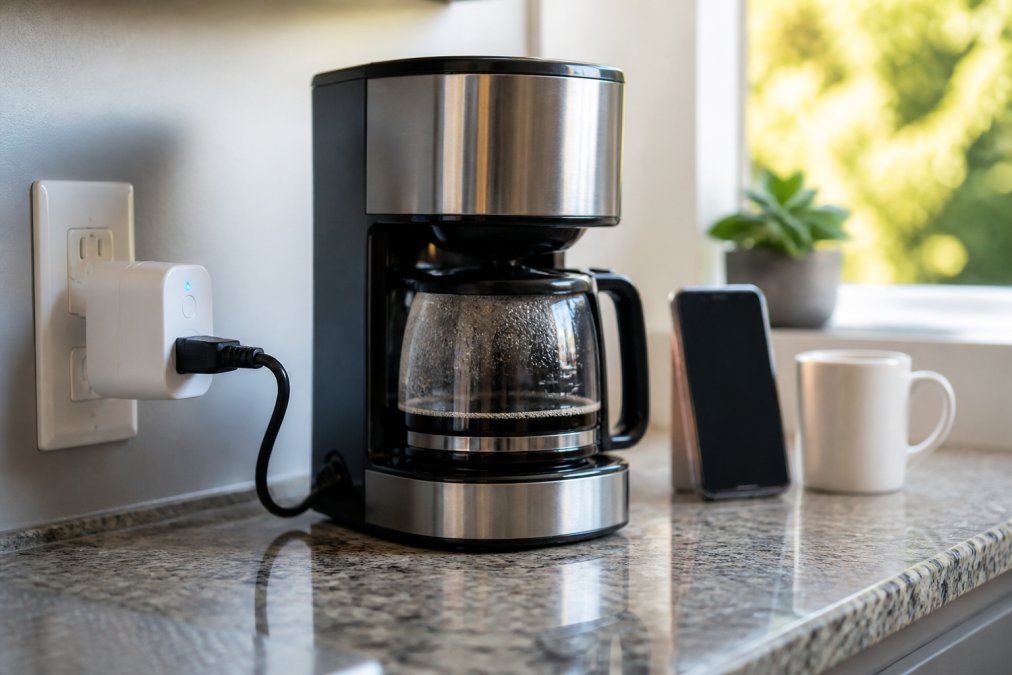
Your smart plug is the foundation of automated brewing. It acts as the bridge between your coffee maker and your smart home ecosystem, allowing you to control power remotely and schedule on/off cycles. Prioritize these specifications: power rating (ensure it supports your coffee maker's wattage), WiFi connectivity (2.4GHz is more reliable than 5GHz for smart home devices), and compatibility with your existing smart home hub. Most quality smart plugs cost between $15 and $40 (rtings.com).
Bean-to-cup machines work best because they integrate grinding and brewing into one automated cycle. For single-serve systems, consider Quire Brew's 60 Pack Single Serve Coffee Capsules ($59.99), which pair seamlessly with automated brewers. Each capsule is sealed with no oxygen inside, keeping beans fresh longer, critical when automating delivery schedules weeks in advance.

Mechanical switches on older coffee makers won't work with smart plugs because the plug can only control power, not activate internal buttons. Digital coffee makers with push-button or electronic start functions respond perfectly to smart plug automation. Verify your coffee maker has a simple on/off power cycle before purchasing.
Step 2: Set Up Your Smart Home Hub Integration
A smart home hub serves as the central command center for your automation. Without one, your smart plug can only respond to manual app commands, no scheduling, no location-based triggers, no voice control. The hub stores automation rules locally and executes them even if your internet connection drops temporarily.
Popular hubs for coffee automation include Amazon Echo devices (with Alexa), Google Home, and Apple HomePod. Setup involves connecting your smart plug to your hub's WiFi network, adding it to your hub's app, and creating your first automation routine. The entire process typically takes 10-15 minutes.
Once connected, your hub becomes the decision-maker. Instead of your phone sending commands directly to the smart plug, your hub stores the automation rules and executes them locally. This means your coffee brews on schedule even if you're in a meeting or your phone dies.
Step 3: Configure Scheduling and Timer Settings
Scheduling is where automation becomes practical. Most smart home apps offer two scheduling approaches: fixed time-based brewing and sunrise-based brewing. Fixed scheduling means your coffee brews at 6:30 AM every weekday. Sunrise-based scheduling adjusts the brew time based on sunset data, so your coffee is ready shortly after sunrise year-round.
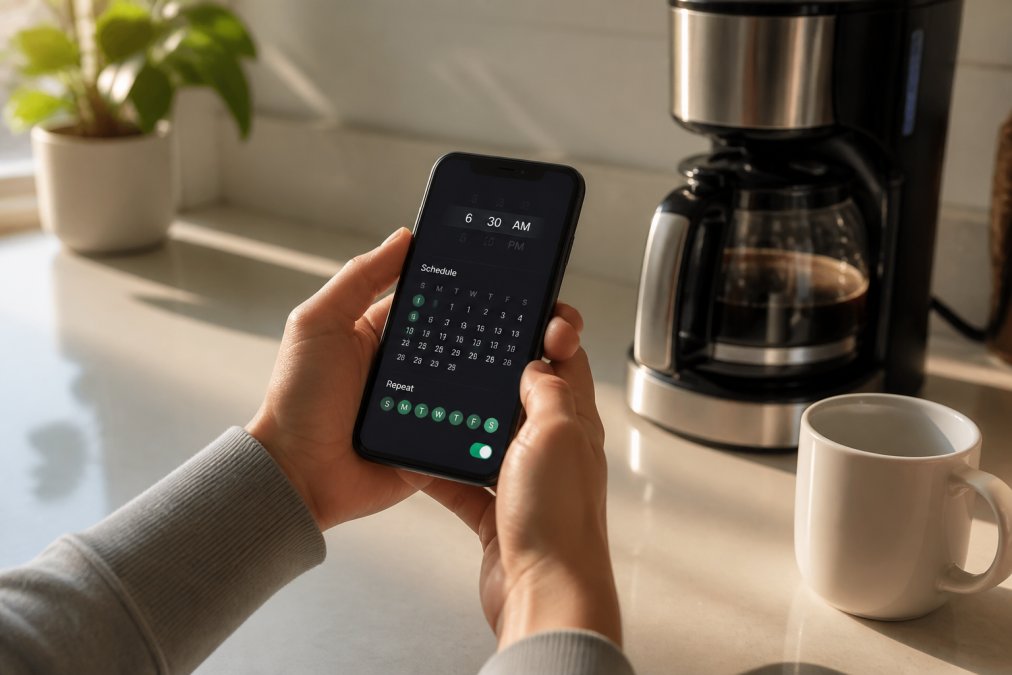
Create separate schedules for weekdays and weekends if your routine differs. Most people set weekday brewing for 30 minutes before waking, allowing the aroma to fill your space and the machine to reach optimal temperature.
A typical coffee maker takes 5-12 minutes to brew a full pot (peer-reviewed research). Set your smart plug to turn off automatically 15 minutes after turning on, preventing the heating element from running indefinitely. Most smart home apps allow you to create a "turn on at 6:30 AM, turn off at 6:50 AM" routine in a single automation.
Some automated workflows use a second smart plug connected to a warming plate, creating a two-step automation: brew at 6:30 AM, activate warming plate at 6:31 AM. This keeps coffee at optimal drinking temperature until you're ready. Test your automation on a weekend before relying on it for your workweek.
Step 4: Connect Location Sensors for Trigger-Based Brewing
Location-based automation elevates your system beyond fixed schedules. Instead of brewing at a preset time, your coffee maker activates when you approach home, ensuring hot coffee is ready when you arrive. This requires your smart home hub to track your phone's location and trigger automation rules based on geographic zones.
Most smart home platforms support geofencing, creating invisible boundaries around your home or office. When your phone enters or exits these zones, the hub can trigger automation routines. For coffee automation, the most useful trigger is "brew when I'm 15 minutes from home."
Setup involves defining your home's geographic boundary in your smart home app (typically a 500-meter radius around your address) and creating a location-based automation rule. Your phone's location is checked periodically (usually every 30 seconds to 2 minutes), so there's slight latency between leaving work and the automation triggering (developer.android.com).
Location tracking consumes phone battery faster than standard Bluetooth or WiFi. Most smart home platforms allow you to limit location checking to specific times (morning and evening) rather than running continuously. You can also disable location-based automation when traveling, switching back to fixed-time scheduling.
Finding the Best Artisan Coffee Subscription for Home Automation
An automated brewing system only works if you have consistent access to quality coffee. A subscription service solves this by delivering fresh beans on a predictable schedule, eliminating the risk of running out mid-automation setup.
The best subscription for home automation prioritizes freshness and reliability over variety. You want beans roasted within 2 weeks of delivery, consistent flavor profiles so your automated brewing produces repeatable results, and a pause feature that lets you skip months without penalty. Automated systems benefit from consistency, brewing the same bean at the same time with the same equipment produces predictable results.
Quire Brew specializes in exactly this use case. Our curated artisan blends are roasted fresh and shipped within days, ensuring optimal flavor when your automated system triggers brewing. Our Original Roast 12 Pack ($18.99) offers a signature blend designed for consistency, the same rich, balanced cup every morning. If you prefer single-origin options, our Peru Coffee Pods ($18.99) deliver salted caramel and citrus notes, or our Mexico Coffee Pods ($18.99) provide creamy body and chocolate notes from Chiapas region beans.


Single-serve capsules work particularly well with home automation because they eliminate variables. Water-to-grounds ratio is consistent, brewing time is standardized, and there's no guesswork about grind size. When evaluating subscriptions, compare pause policies carefully. Some services charge fees for skipping months or require weeks of notice. Quire Brew allows pause at any time without penalty.
How to Manage Coffee Subscription Frequency and Pause Orders
Calculate your consumption first. If you brew one cup daily using single-serve pods, you need 30 pods monthly. If you brew a full pot (12 cups) daily, you need roughly 90 pods monthly. Most subscriptions let you customize frequency: weekly, bi-weekly, or monthly delivery.
Start with monthly delivery and adjust after two months. If you're running out before the next shipment arrives, increase frequency. If you have surplus, decrease it. The goal is receiving fresh coffee just as you finish your previous delivery.
Pause orders when life interrupts your routine. Traveling for work? Pause for a month. The best subscriptions, including Quire Brew, allow pausing through your account dashboard with no questions asked or fees charged. You can resume whenever you're ready.
Seasonal adjustments make sense too. Many people drink more coffee in winter when mornings are darker. Summer might mean less coffee as iced beverages take priority. Rather than canceling and restarting, pause during low-consumption months and resume when your routine shifts back.
Track your delivery schedule in a shared calendar. If you're automating for multiple people in your household, everyone should see when coffee arrives and when the next shipment is scheduled.
Safety, Privacy, and Hardware Compatibility Considerations
Automating your coffee delivery introduces safety and privacy considerations that manual brewing avoids. A smart plug controlling your coffee maker means electrical current is being managed remotely, done safely, this is fine; done carelessly, it creates fire risk.
Fire prevention starts with equipment selection. Never use a smart plug with a coffee maker that has a built-in timer or automatic shutoff that's already broken. If your coffee maker previously overheated or showed signs of electrical problems, don't automate it.
Always ensure water is loaded before scheduling automated brewing. A dry coffee maker with its heating element running creates extreme heat with no water to dissipate it. Use a smart plug with surge protection built in. Quality smart plugs include surge protection that safeguards your coffee maker from electrical spikes.
Privacy concerns center on location tracking and data collection. Smart home hubs collect location data, usage patterns, and device information. Review your smart home platform's privacy policy before enabling location-based automation. Most major platforms allow you to review and delete location history.
Hardware compatibility requires research before purchasing. Not all smart plugs work with all smart home hubs. Check compatibility before buying. Firmware updates matter for security, enable automatic updates if your smart plug supports them, or manually check for updates monthly.
Smart plugs themselves consume minimal power (less than 1 watt), but automating your coffee maker means it's powered on and heating even when you're not actively brewing. If energy efficiency matters to you, set your smart plug to turn off 30 minutes after brewing completes, rather than leaving it on all day.
Automating your coffee delivery transforms a daily ritual into a seamless, reliable experience. By combining smart plugs, scheduling, location sensors, and a quality subscription like Quire Brew, you're designing a system that respects your time while delivering the artisan coffee experience you value. Start with scheduling, add location triggers when you're comfortable, and let the system handle the logistics while you focus on enjoying your morning clarity. Subscribe to Quire Brew's curated artisan blends and experience how automation elevates your daily ritual with fresh, consistently excellent coffee delivered right when you need it.
Frequently Asked Questions
How do I automate a coffee maker with a smart plug?
Connect a smart plug to your coffee maker's power outlet, then download the manufacturer's app. Link the plug to your smart home hub or app, set your preferred brewing time or location trigger, and the system will power on your machine automatically. Most smart plugs work with standard drip coffee makers and bean-to-cup machines. Check hardware compatibility before purchasing to ensure your coffee equipment's power draw matches the plug's rating.
What's the best artisan coffee subscription for home automation?
Look for subscriptions offering flexible scheduling, app-based frequency management, and compatible single-origin or blend options. Quire Brew's curated artisan selection includes Mexico and Peru single-origin pods, plus signature Original Roast blends starting at $18.99 for 12 capsules. Their automated fulfillment integrates seamlessly with smart home workflows, and you can pause or adjust delivery frequency anytime without penalties, making it ideal for automated brewing routines.
How do I manage coffee subscription frequency to avoid waste?
Most subscriptions allow you to adjust delivery schedules through their app or account dashboard. Start with weekly or biweekly deliveries, then track your consumption over a month. If you're automating multiple brewing times daily, you'll use pods faster. Quire Brew lets you pause subscriptions month-to-month without fees, so adjust frequency based on actual usage patterns rather than guessing upfront.
Are there safety concerns with automating coffee makers?
Yes. Never leave a coffee maker unattended for extended periods after automated brewing completes, as residual heat poses fire risk. Use smart plugs with built-in thermal protection and overload safeguards. Ensure your machine has an auto-shutoff feature (most modern makers do). Keep the brewer clear of flammable materials, and verify your home's electrical system can handle the plug's power draw without overloading circuits. Check your homeowner's insurance coverage for automated appliances.